Rocket Spleef on Mobile
Touch controls, ledge grab holds, rocket jump timing, and HUD tips for phone and tablet lobbies.
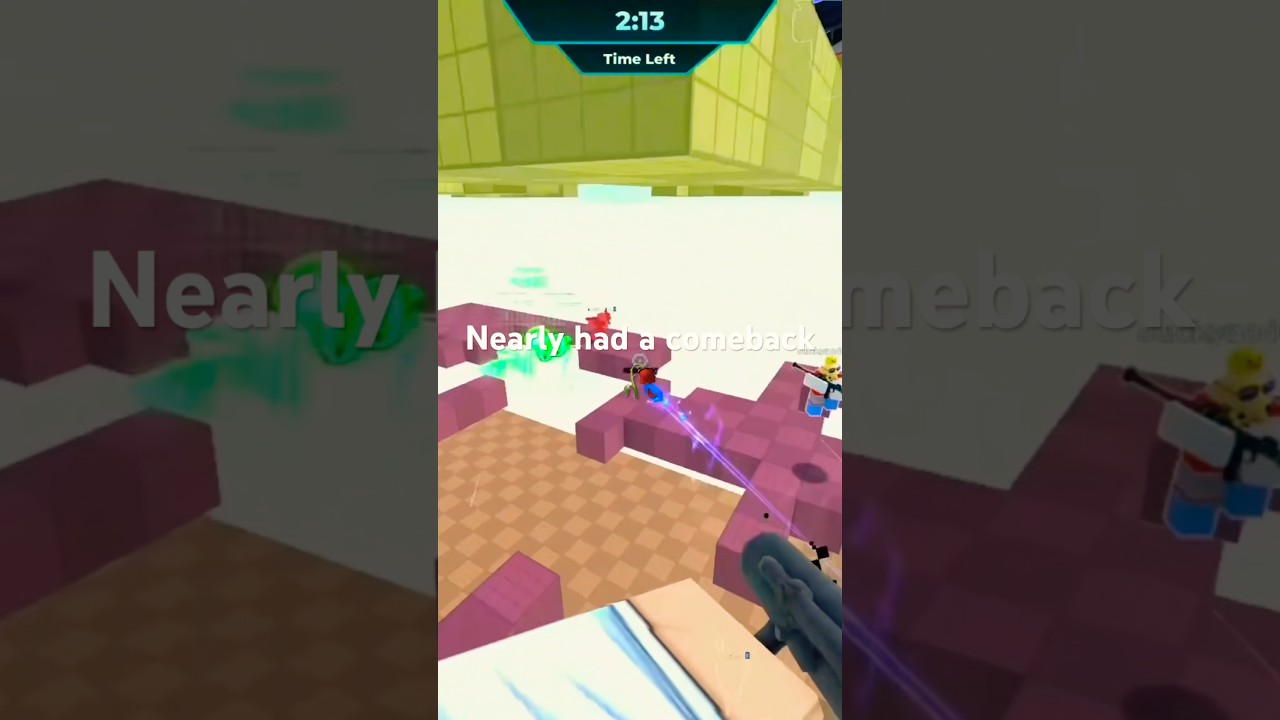
Rocket Spleef is fully playable on Roblox mobile. The rules never change — rockets still delete floor tiles, Lifeline still saves void mistakes, and the last player standing still wins — but touch inputs reshape how fast you can shoot, jump, and recover. This guide focuses on phone and tablet habits so mobile players are not stuck copying PC advice that assumes a mouse.
Pair it with Controls for the shared binding names (Shoot, Jump, ledge grab) and with Rocket Jump / Ledge Grab for the movement tech once your thumbs feel settled.
Mobile control map
| Action | Typical mobile input | Why it matters |
|---|---|---|
| Shoot | Tap the fire button / on-screen shot | Deletes tiles under rivals |
| Move | Left virtual stick | Strafing near cracked edges |
| Jump | On-screen Jump | Starts rocket jump and ledge grab holds |
| Camera | Drag right side of screen | Aims where rockets land |
| Ledge grab | Hold Jump near a platform lip | Clutches void falls |
Exact button art can shift after UI patches. If a label moves, the verbs stay the same — confirm in a quiet lobby before a sweaty public queue.
Camera and thumb posture
Mobile losses often come from camera, not aim talent:
- Keep the right thumb free to drag camera while the left stick strafes.
- Raise sensitivity until you can track a rival circling a two-tile island without overflicking into the void.
- Lower sensitivity if rocket jumps constantly fire sideways — blast direction follows camera.
- Sit the device so both thumbs reach Jump and Shoot without covering the stick.
Practice ten camera-only circles in the lobby before your first competitive streak of the day.
Rocket jump on touch screens
The PC tip still applies: shoot directly below yourself, then jump. On mobile the timing window feels tighter because tap latency and stick drift stack.
Mobile rocket-jump drill
- Stand on a wide, safe lobby or early-round tile.
- Aim the camera nearly straight down.
- Tap Shoot once.
- Immediately tap or hold Jump on the blast frame.
- Repeat until the arc feels vertical, not diagonal into missing floor.
When Low Gravity is active, shorten the delay between Shoot and Jump — floaty physics forgives height but punishes sideways drift near edges. Details live on Rocket Jump.
Ledge grab holds on mobile
Official tip: hold Jump near the edge of a platform. On touch UIs, a quick tap often fails — commit to a press-and-hold as soon as your feet leave a collapsing tile.
Clutch habits
- Pre-position Jump under your right thumb before contested endgames.
- Do not spam Shoot while holding Jump unless you intentionally want another blast.
- After a successful grab, release Jump, recenter camera, then re-engage.
Drill this on outer tiles during early rounds when stakes are low. Full technique: Ledge Grab.
HUD and lobby tips unique to phones
- Redeem Codes in the lobby before queueing — Settings on the left can be easy to miss on small screens.
- After claiming
25KLIKESor other milestone strings, check Voxel text size; some phones clip currency UI until you rotate landscape. - Close notification overlays that steal taps mid-duel.
- Use landscape for serious sessions; portrait shrinks the stick travel distance.
Mobile match strategy adjustments
Touch players should bias safer routes until rocket jump consistency is high:
- Prefer outer ring pressure instead of center chaos for the first ten matches of a session (Positioning).
- Contest Lifeline when available — mobile ledge mistaps happen more often than mouse mistaps.
- Avoid Mega Rocket chases across broken bridges until grab holds feel automatic.
- Mute chat if typing keyboards cover Jump mid-fight.
Win patterns still match How to Win; only the input path differs.
Performance and heat
Long sessions drop frame rate on older phones, which ruins jump timing:
- Lower Roblox graphics one step if rockets stutter.
- Unplug chargers that overheat the device during summer sessions.
- Requeue after a crash — do not assume a failed ledge was “skill issue” when FPS tanked.
Practice plan for mobile mains (30 minutes)
- Five minutes camera circles + sensitivity tune
- Ten rocket jumps on safe tiles
- Ten intentional ledge grab saves
- Three full public matches focusing on outer-ring survival
- Redeem codes / open one crate if you earned Voxels (Crates & Cosmetics)
Related pages
- Controls — shared binding names
- Rocket Jump — blast timing
- Ledge Grab — hold Jump recovery
- Common Mistakes — habits that end mobile runs early
- How to Play — round rules refresher
Frequently Asked Questions
Quick answers for Rocket Spleef on Roblox.
Can you play Rocket Spleef on mobile?
Yes. Shoot with tap, move with the virtual stick, and hold Jump near edges for ledge grabs. Mechanics match PC; only input timing differs.
How do I rocket jump on a phone?
Aim the camera down, tap Shoot under your feet, then immediately Jump. Practice on wide tiles until the arc goes up instead of sideways.
Why does ledge grab fail on mobile?
Most failures are short taps instead of holds. Keep Jump pressed while near the platform lip as the tile collapses.
Should mobile players buy Instant Spin?
Only if you open many crates and dislike spin animations. It does not help mid-match movement — see the Gamepasses tool page for Robux value notes.
Is landscape better than portrait?
For competitive queues, landscape usually gives better stick travel and camera space. Portrait is fine for casual codes and lobby browsing.