How to Play Rocket Spleef
Arena rules, round pacing, pickups, and what to practice after your first match.
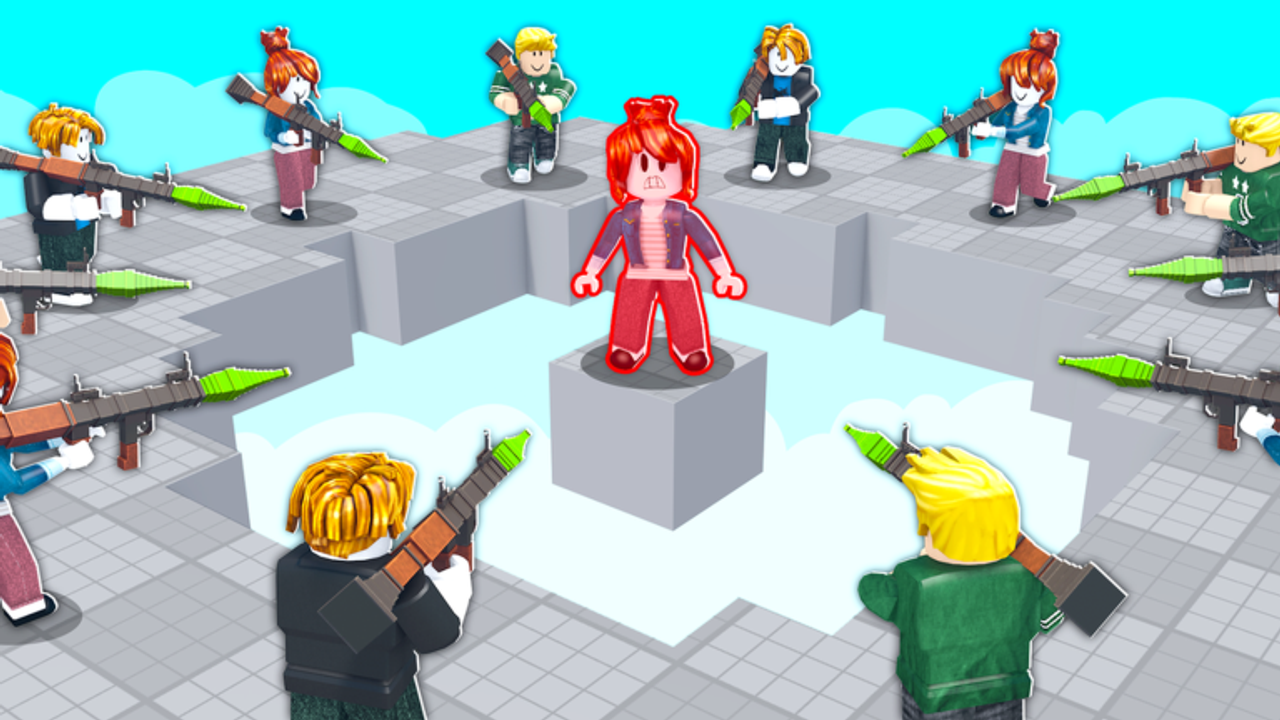
Rocket Spleef is a Roblox last-player-standing arena built by Blammo Works. Every player spawns on a shared floor armed with a rocket launcher. Shooting destroys tiles beneath feet — yours and everyone else’s — until the map becomes a lattice of gaps above the void. You win by being the last player still standing; fall off the platform and you are eliminated instantly. Matches are short, loud, and movement-heavy, which is why new players should learn rules here before diving into Controls and Rocket Jump tech.
The experience lives at Rocket Spleef on Roblox. It launched around 18 March 2026 and updates through the developer’s Roblox group. There is no separate ranked story mode — you queue rounds, earn Voxels, and spend them on cosmetics covered in How to Get Voxels.
Lobby to match flow
When you join, you land in a lobby with play buttons, crate UI, and Settings on the left (the same area used to redeem Codes). Queue for a public round or join friends through Roblox party.invite. A countdown teleports everyone into the arena with equal baseline gear — no pay-to-win launcher stats in standard lists.
Round phases usually follow this rhythm:
- Spawn and spread — claim edge or center based on your plan; center gives more targets but less escape room.
- Opening damage — players break outer tiles to cut rotation paths. Expect the ring to shrink even if nobody chases kills yet.
- Pickup contest — power-ups spawn on remaining safe tiles. See the pickup table below and the Tier List for priority opinions.
- Midgame duels — two or three players remain with half the floor missing. Rocket jump and ledge grab decide most outcomes here.
- Endgame — tiny islands force point-blank shots or baiting opponents into self-destructive blasts.
When the round ends, results screen shows placement and Voxel income. Return to lobby, open crates, or requeue immediately.
Core rule: rockets delete floor
Your rockets always damage terrain. There is no “safe” spam at your feet unless you intend to rocket jump. Every shot removes a chunk of the arena grid. Skilled players aim under opponents to delete their standing tile; reckless players delete their own escape routes.
The void below the arena is an instant elimination zone. No swim timer, no respawn mid-round. One misstep during Low Gravity pickup chaos ends your run.
Shooting and movement basics
Shoot with Left Click on PC, Tap on mobile, or RT on controller. There is no separate aim-down-sights mode in standard play — third-person camera and strafing do the work.
Movement starts with walking and jumping, but high-level survival depends on:
- Rocket jump — shoot directly below yourself, then jump. Covered in the Rocket Jump Guide.
- Ledge grab — hold Jump near a platform edge to catch the lip. See Ledge Grab Guide.
Read Controls for platform-specific tips before blaming losses on “laggy jumps.”
Pickups that change a round
Pickups spawn during fights and temporarily alter output or safety:
| Pickup | What it does in practice |
|---|---|
| Rapid Fire | Lets you melt tiles faster during chases |
| Triple Shot | Wider deletion pattern — scary near cracked lanes |
| Low Gravity | Floatier jumps; pairs with rocket jump chains |
| Lifeline | Forgiving mistake tool when void knockback hits |
| Mega Rocket | Large blast for zone control and panic breaks |
Pickups are not permanent loadouts. Grab them when the path is safe, but do not chase a Mega Rocket across missing tiles unless Ledge Grab practice is solid.
Eliminations and win conditions
You eliminate an opponent indirectly: break their floor or knock them off with blast force. Direct “player HP” bars are not the focus — positioning on remaining tiles is. The last surviving player wins; some lobbies may reward top-three placements with partial Voxel bonuses depending on current economy tuning noted in Updates.
If you tie timing with another falling player, treat simultaneous void deaths as a lesson in who cut the tile first — review rocket lines in your next match.
Cosmetics and Voxels (out of match)
Voxels are the free currency from placement, quests, events, and Codes. They open crates for launcher skins, trails, and explosion cosmetics — visual only. Farming efficiently is its own guide: How to Get Voxels.
Claim milestone codes in lobby Settings when strings like 10KLIKES or 3750LIKES appear on the Codes Hub — verify in-game before assuming rewards.
First-hour checklist for new players
- Finish one full match without leaving early — learn void tension.
- Read Controls and remap mentally for your device.
- Practice ten rocket jumps in a private mindset — shoot below, then jump.
- Attempt three ledge grabs at low-stakes outer ring tiles.
- Redeem any active code, then read How to Win before grinding rank-style lobbies.
Common beginner mistakes
Face-tanking the center without exit routes — outer ring play is slower but safer while learning blast radius.
Ignoring own tile health — if your feet sit on a one-tile pillar, any nearby Mega Rocket ends you.
Chasing pickups through void gaps — Tier List hype does not beat stable footing.
Skipping ledge grab — one saved round teaches more than five third-place finishes.
Related pages
- Controls — Shoot, Jump, and camera habits
- Rocket Jump Guide — primary movement tech
- Ledge Grab Guide — recovery tool
- How to Win — strategy and pickups
- Codes Hub — free Voxels for cosmetics
Frequently Asked Questions
Quick answers for Rocket Spleef on Roblox.
How do you win in Rocket Spleef?
Be the last player still standing on the arena. Destroy tiles with rockets to drop opponents into the void while keeping your own footing secure.
Do rockets hurt players directly?
Combat focuses on deleting floor tiles and knockback into the void rather than traditional health bars. Blast force and missing ground eliminate players.
Can you play Rocket Spleef on mobile?
Yes. Shoot with Tap, jump with the on-screen Jump button, and use the same pickup names as PC. Movement guides apply once inputs feel comfortable.
What are Voxels used for?
Voxels open cosmetic crates for launcher skins, trails, and explosion effects. They do not buy stronger rockets in standard public rounds.
Where do I redeem promo codes?
In the lobby, open Settings on the left, choose Enter Code Here, and submit active milestone strings from the Codes Hub.